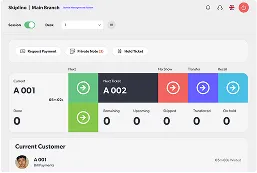
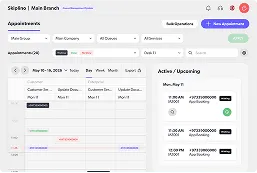

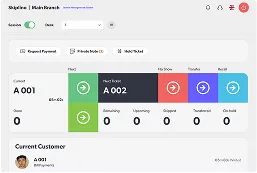
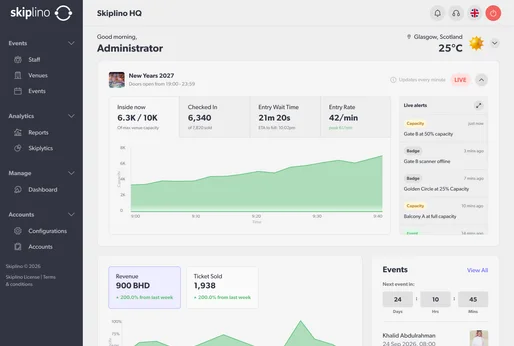









What if your team could check a queue by asking a question instead of opening a dashboard, setting filters, and exporting a report? The assistant draws on your Skiplino reports data, so you can ask about almost any aspect of your operation — including queue activity, branch and service performance, appointment details, staff and agent status, and much more. Retrieving this information is read-only and does not change your Skiplino account.
What is Skiplino MCP?
MCP stands for Model Context Protocol, an open standard that lets AI applications connect to external tools and data. The official MCP introduction describes how that shared protocol helps assistants work with information beyond the chat itself.
Skiplino MCP applies that idea to queue operations. Its tools reflect actions available through the Skiplino Control Panel and are scoped to your organisation. There is no separate API key to create: you add the connector in a supported assistant, then sign in through Skiplino. The Skiplino MCP overview explains the connection and its safeguards.
Ask about the work in front of you
Instead of building a report, ask a direct question. For example: How busy is my branch right now? How many tickets did we take today? How long did people wait last week? Which services take appointments at this branch? Who is online, and at which desk? Those are just a few examples of what your reports data can answer; from queue activity and service performance to agent status, upcoming holidays, and customer languages.
These questions can help a manager move from a broad check-in to a useful follow-up. If a location seems busy, for example, you can ask about its queues or services without switching between screens. For more on the operational tools behind those workflows, see Skiplino queue management and appointment scheduling.
Retrieving information is read-only: asking a question does not change your Skiplino account. That makes exploration low-risk, while the connected assistant still needs to be one your organisation trusts and permits.
Make a change only after reviewing it
Skiplino MCP can also help with configuration changes to branches, queues, services, and organisation settings. Those actions follow a deliberate two-step process. First, describe the change in plain language. Next, inspect a preview of what will be changed. Only after you confirm does Skiplino apply it, using a single-use approval token.
This separation matters: a request to change a setting is not itself permission to apply it. Your assistant can help prepare the change, but you remain responsible for reviewing the preview and deciding whether to approve it. This is especially useful when a configuration affects more than one part of an operation.
Controls for privacy and accountability
Skiplino MCP is read-heavy and includes controls for sensitive actions. Ticket-level information does not expose customer names or contact details; it provides counts, timings, and status instead. Configuration changes are limited to 10 per five-minute window, and sensitive actions are logged for accountability. Access is tied to each person's existing Skiplino account and company-admin permission, rather than a shared team login.
Your password is not sent to the assistant. You authenticate on a Skiplino sign-in page, and the assistant receives a token scoped to your organisation. You can disconnect the connector in the assistant's settings. As with any connected AI tool, review the permissions and the action preview before approving a write; the MCP safety details describe the controls in place.
Check your assistant's plan and permissions
Skiplino MCP is included in Skiplino Enterprise plans. The AI assistant you use must also support custom connectors, and the available features depend on its plan and your organisation's settings. Anthropic's current Claude connector guide lists remote MCP connectors on Free, Pro, Max, Ultra, Team, and Enterprise plans, with limits that vary by plan.
For ChatGPT, the breakdown differs: OpenAI's current connector documentation says full MCP support is available to Business and Enterprise/Edu customers, while Pro users can connect custom MCP servers with read/fetch permissions. Workspace policies and administrator permissions can also affect who may create or use a connector. Check the current assistant documentation before setup, since plan availability and controls can change.
Get connected
You need a Skiplino account with permission to manage your organisation and an assistant that supports the connector capabilities you need. Add Skiplino MCP from the assistant's connector settings, then complete sign-in and approval on the Skiplino page. The setup is designed to take under a minute; there is nothing to install and no API key to generate. For a plan overview, visit Skiplino pricing, or talk with the Skiplino team about access.
Security reminder: never type your Skiplino password into Claude or ChatGPT. Enter it only on the official Skiplino sign-in page that opens during connection. The assistant receives a token, not your password.
Put queue insight within reach
Conversational access does not replace operational judgment or remove the need for good governance. It makes trusted queue information easier to ask for, while keeping changes behind an explicit review. For teams already using AI assistants, Skiplino MCP offers a straightforward way to check what is happening and decide what to do next.
Explore Skiplino MCP and see how your team can ask about its queues.
Frequently Asked Questions
What can I ask the assistant about my business?
The assistant draws on your Skiplino reports data, so you can ask about your branches, services, queues, appointment services, ticket counts, wait times, staff status, agent idle time, holidays, and customer languages — or anything else related to your tickets data and account. Retrieving this information is read-only and does not change your Skiplino account.
Does the assistant see my Skiplino password?
No. You sign in on an official Skiplino page, and the assistant receives a token scoped to your organisation, not your password. You can disconnect the connector in your assistant's settings.
Can the assistant change things in my account without me knowing?
No. A proposed change is previewed first and requires a separate confirmation before it is applied. A single-use approval token is required for a write.
What do I need before I start?
Skiplino MCP is included in Skiplino Enterprise plans. You also need a Skiplino account with permission to manage your organisation and an AI assistant that supports the connector features you need. Connector availability and permissions vary by assistant plan and workspace settings.
How do I connect, and where do I enter my password?
Add a custom connector in your assistant's settings and follow its connection flow. Enter your Skiplino credentials only on the official Skiplino sign-in page that opens; never type your password into Claude or ChatGPT.