





When a customer is “queued”, a system somewhere is holding their place in line. What that system does with the place — whether it pins the customer to a spot on the floor, or lets them wait from a cafe down the street — is the difference between a queue that costs you customers and one that doesn’t.
This guide explains how digital queuing actually works: what happens between a customer joining a queue and being served, which components do the work, and what changes operationally when you replace a physical line with a managed one.
How a Digital Queue Works, Step by Step
Every digital queue runs the same basic loop, regardless of vendor or industry:
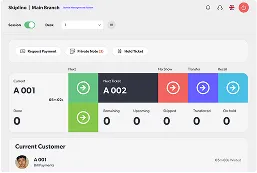
- Join. The customer enters the queue — by scanning a QR code, tapping a link in an SMS, using a lobby kiosk, or booking an appointment in advance. They are issued a ticket that exists as a record, not a scrap of paper.
- Classify. The system asks what the visit is for. A customer opening an account and a customer collecting a card need different staff, different desks, and different amounts of time. Capturing this up front is what makes the next step possible.
- Estimate. Using the current queue depth, the service type, and how quickly each counter is actually working, the system calculates a wait time and shows it to the customer. This is the single most important output of the whole process — an unknown wait is what makes people leave.
- Wait anywhere. Because the place in line is a record rather than a physical position, the customer can spend the wait wherever they like. The system notifies them as their turn approaches.
- Route. When a counter frees up, the system calls the next customer whose service type matches that counter’s skills, rather than simply whoever has waited longest.
- Measure. Every step above produces a timestamp. The gap between them is your data: wait times by hour, service times by staff member, no-show rates, peak load by branch.
Steps 3 and 5 are where most of the value sits, and they are the two steps a paper ticket dispenser cannot do at all.
The Components That Make It Work
- An entry point — QR code, SMS link, mobile app, kiosk, or web form. Most deployments run several at once, because not every customer arrives the same way.
- A queue engine — the logic holding the order, the service types, and the routing rules. This is the part that decides who gets called next.
- A notification channel — push, SMS, or on-screen display. Without it, customers cannot safely leave, and you are back to a physical line.
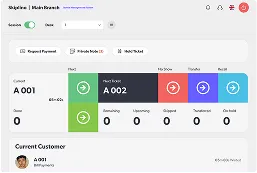
- A staff interface — what the teller or receptionist uses to call, serve, transfer, or close a ticket.
- An analytics layer — where the timestamps become decisions about staffing and opening hours.
Now that the mechanism is clear, it’s worth looking at why lines form in the first place — because the psychology explains which parts of the process matter most.
Why Do We Queue? The History and Psychology Behind Lines

Standing in line to wait your turn seems like such a natural action at this point, you might be surprised to learn it hasn’t been around for so long.
Queuing was first recorded by Thomas Carlyle in 1837. His book The French Revolution describes people standing in “Queues, or Tails…so that the first-come be the first served” while waiting for limited supplies of bread.
Lining up was born from excess demand and low supply. The more desirable the resources, the more customers are willing to wait in line.
Danish engineer A.K. Erlang invented queuing theory in 1909 through observing the Danish Telephone Exchange and searching for a more efficient way to operate them.
How many lines and operators do you need for a smooth service? What are the factors deciding this?
At the end of the day, Erlang decided queuing theory mostly centered around two parties:
- The requesting party, aka consumers/demand.
- The delivering party, aka companies/supply.
Such a straightforward two-party transaction sounds simple enough. The reality of customer service, however, presents far more questions than how to satisfy demand. You might ask:
- What is queued (e.g. people? objects?)?
- How many servers are there?
- How many customers are showing up? How quickly are they arriving?
- What’s the speed at which servers complete requests? Can we increase this?
- Do people stay in line?
- How large is the waiting zone?
When people are lining up, you’re on the right path. You have a product your customers want, but limited time, space, and personnel to deliver services to clients. Lines exist because of scarcity in the face of demand.
Most people don’t enjoy the experience of standing in line. Even so, human brains are built to crave rewards. If you convince consumers that the temporary delay they’re experiencing now is a necessary exchange for the services they want from you, they’ll wait far more happily.
Studying how human psychology operates while in queues, there are three easy ways you can make lining up more bearable for your customers.
- Distract them, or let them distract themselves. When customers are bored, their waits will feel extra long. Don’t let them focus on the wait.
- Make the wait predictable. Not knowing how long you’ll have to wait makes people impatient. Simply giving them an estimated wait time can soothe them.
- Establish order. People have a sense of equity. Make sure the waiting order is fair, and people get what they waited for.
People are more than willing to wait when they have the right motivation. Your job is to ensure they’re waiting for the right reasons, an appropriate amount of time, and ending up satisfied with the services they receive.
The Three Queue Models

Digital queuing is deployed in three broad models. Most real-world sites combine at least two of them.
- Physical
- Virtual
- Mobile
Physical Queues
This is the most classic type of line. When you see a queue forming outside of a store, you know exactly what it means and how the order works.
Your customers know as well. Seeing a line, they’ll automatically try to assess how long the wait might be, how quickly it’s moving, whether or not people are walking away with what they want. A long line could signal something worth waiting for, or show them they shouldn’t waste their time.
What does a physical queue mean to consumers?
- Uncertain wait time. The length and speed of a line doesn’t always paint a full picture of how long customers will have to wait. Uncertainty can kill a customer’s patience.
- Physical exertion. Customers with pre-existing conditions might experience fatigue while standing in line.
- Inflexibility. Having to stand in the same spot for minutes or hours is limiting.
People are accustomed to queues, but it’s most likely not their preferred waiting method. Overall, waiting in a physical line is a pretty boring experience.
On the business side, organizing a physical line means designating waiting areas, assigning customer service attendants to check-in, and in-line entertainment.
Offering certain VIP customers quick access is possible. In fact, 86% of customers are willing to pay more for a great customer experience. Ultimately, however, it might lead to increased dissatisfaction among non-VIP clients.
Physical lines are the most common. You’ve seen them at the grocery store, the amusement park, the coffee shop. But does that mean they’re the best?
Spoiler: not really. There’s new technology on the block, and it has the potential to transform how people wait.
Virtual Queues
Digitization has changed everything. With the aid of modern technology, your customers no longer have to stand in line physically. A few taps on a kiosk or tablet to sign in and they’re free to spend their waiting time however they want to without actually having to stand in a line.
What changes for the customer when the queue is virtual?
- More concrete wait time. Virtual queuing solutions usually give customers a waiting time estimate. Plus, viewing their availability ahead of time lets them know not to show up if they are not keen on waiting for long.
- Accessibility. Customers with mobility issues or other conditions no longer have to worry about keeping their spot in a physical line. Taking a break from waiting is easier than ever.
- Flexibility. Your clients are free to leave, grab a meal, and do whatever they need before their turn is called.
On the business side, virtual queuing is better for companies who can’t afford big waiting areas. All you need to do is find a virtual queuing solution, install tablets and/or kiosks, and you’ll be good to go. Your customers will keep themselves occupied in the meantime.
Mobile Queues
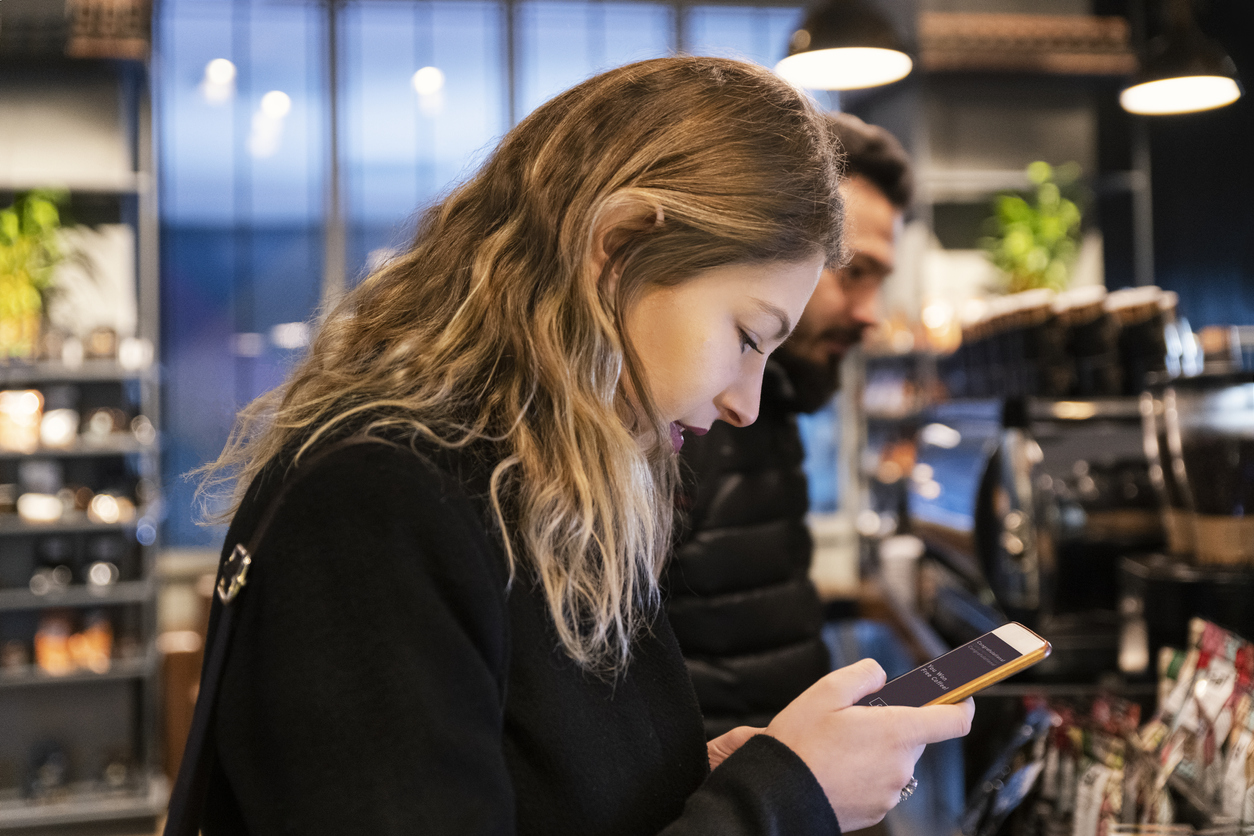
Nowadays, your business can’t afford to not be mobile-friendly. 50% of customers state that they would abandon a business due to bad mobile user experiences, even if they like the brand. But what does optimizing for mobile do for lining up?
Mobile integration means more downtime than ever. Your customers check-in and keep track of their orders through a mobile app or website, leaving them free to run errands, spend more time with the kids, or anything else that doesn’t involve actively loitering around your business.
Waiting in a mobile queue doesn’t feel much like waiting at all. When your customers have the option to stay tuned through their phones, they can literally do anything they want before their turn is called.
When they finally show up at your business, they will be in good spirits and far more open to work with your customer service reps than if they’ve waited for six hours in the same waiting area.
No matter how wonderful your waiting area is, customers would much rather have their time to themselves.
For a business, mobile waiting apps are straightforward to set up. Unlike waiting areas or kiosks, they won’t have trouble scaling alongside the business. With an all-in-one solution, front desk personnel no longer have to worry about wrangling impatient customers. They can focus on doing what they’re supposed to: delivering great customer service.
How do physical queues match up against virtual and mobile queues?
| Physical Queues | Virtual Queues | Mobile Queues | |
| Waiting Time | More time actually waiting in a designated waiting area, less time being serviced. | Customers are free to leave for a quick break post check-in. | Customers can be wherever they want, arrive, and get serviced immediately. Almost no actual “waiting” time. |
| Flexibility | Low: Standing in a physical line for the whole duration of the waiting period. | Medium: Required to check-in physically. No need to stay there for the whole waiting time. | High: Check-in via phone. Can be anywhere until their turn is called. |
| Accessibility | Not accessible to clients with physical disabilities or conditions. | Accessible to anyone. | Accessible to anyone. |
What about ramping up the feeling of urgency by making customers wait? You may be wondering. The psychology of queues points to the fact that people will feel rewarded for receiving service after waiting.
Do you know what your customers want even more? A great customer experience. Making them wait for no reason could ramp up demand, but giving them the freedom to do whatever they want and then immediate service creates a far more positive impression of your business in the long run.
Physical queues may be classic, but they’re clearly outclassed by the convenience of virtual and mobile queues in terms of accessibility, flexibility, and sheer customer experience. There’s a better way to manage your customers, without sacrificing their time or freedom.
Traditional queuing vs. Queue Management System
Everyone is familiar with traditional queuing and the experience of staying in line to wait for some service or another. So what’s a queue management system?
Imagine giving your clients the freedom to manage and maintain their own appointments. Your customer service reps see and respond to schedule changes in real-time. They track performance metrics through an intelligent backend.
Then you have traditional lines. Time to compare the two.
How Traditional Queuing Handles the Same Job
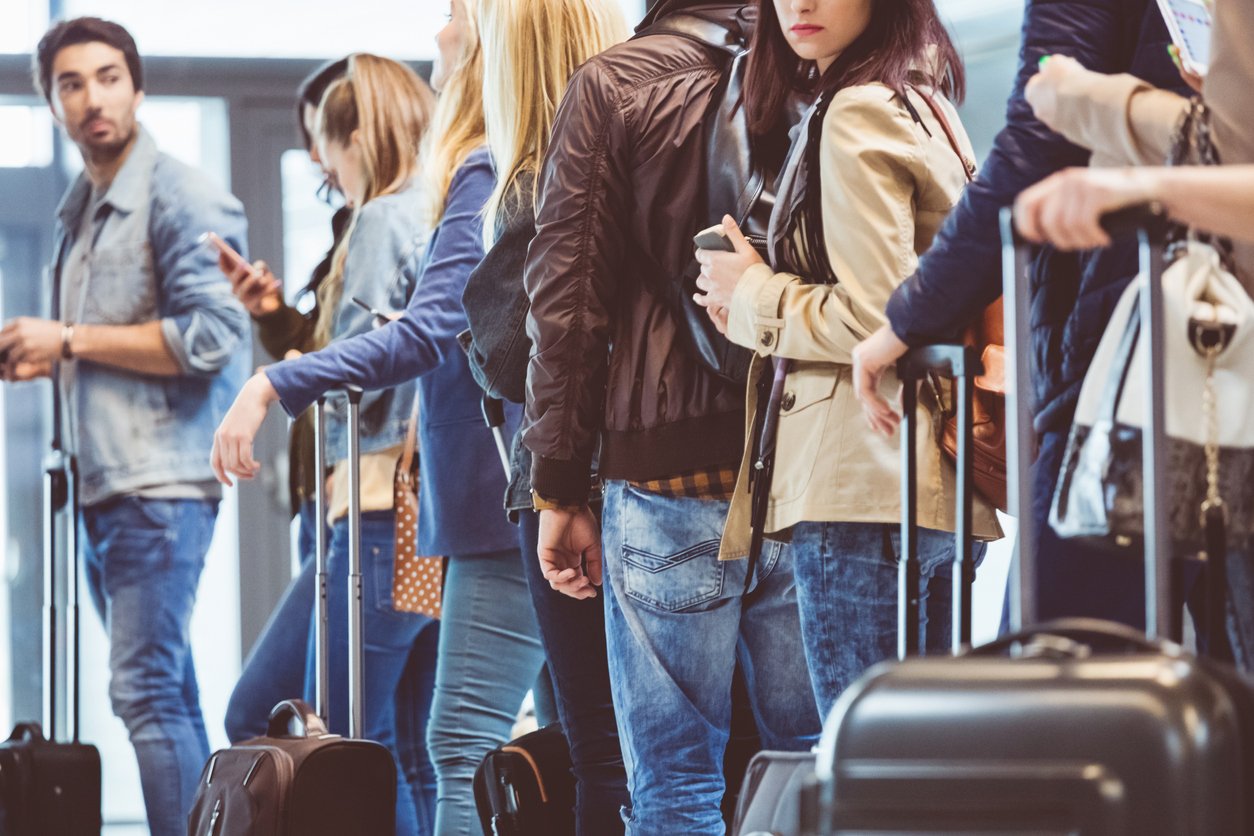
Traditional queuing is something we see almost every day. People stand in line to receive services, usually on a first-come-first-served basis. A few of the most common examples:
- Grocery store lines
- Waiting to use an ATM
- Boarding an airplane
- Bathroom lines
People naturally queue up when there’s enough demand for something and insufficient supply, but most modern-day lines are facilitated by businesses.
What are some strategies businesses use to make sure people obey the law of the line?
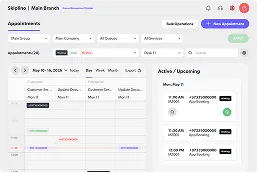
- Schedule appointments. Making customers book their own time to visit can shorten the wait. On the other hand, if clients have already taken the time to make an appointment they’ll have even less patience for waiting.
- Waiting areas. Having a designated area for waiting normalizes the waiting experience.
- Signage. Directing people to take action, or simply showing them an estimate of waiting time.
- On-site staff. Guiding people to use the correct facilities, wait in the right area, visit the correct window.
- Lanes. Providing lanes can split up long queues, or at least make them appear shorter.
- Decoration. Remember how customers like to be distracted when waiting? Certain decor accomplishes this purpose by drawing their eye and capturing attention.
Most traditional queuing tactics revolve around slightly misleading the customer, causing them to believe that the wait isn’t too long, or that waiting is simply a part of the experience. You want to keep the line flowing, maintaining movement so that customers stay hopeful that their wait will end soon.
How a Queue Management System Handles It
Queue management systems are comparatively new, which probably accounts for why they are less commonly seen in daily life. Older organizations are slower to adapt, but you can still experience a few examples of modern queue management:
- Restaurant RSVPs
- Bank appointments
- Department of Motor Vehicles
Unlike traditional lines, queue management systems don’t need quite as much upkeep during the waiting experience. Customers are more willing to distract themselves, so the business can focus more on improving the customer service experience instead of the actual waiting duration.
There are a few strategies businesses should observe while setting up a queue management system:
- Display availability. Show your customers when they can be served to save them time on the road.
- Set up a greeting message. Even virtually, customers want to feel welcomed. A quick message can go a long way.
- Capture personal information upfront. Online registration lets you customize forms. Knowing why your customers are visiting can help you optimize their visit.
- Estimate the waiting time. Not knowing how long they’ll have to wait will make customers impatient. Let them know what to expect.
- Track performance. Collecting data on customer and employee interactions helps you find ways to do better. Know what success looks like to you.
- Brand customization. Consistency in branding increases revenue by 33%. Show customers who you are and what makes you special.
| Traditional queuing | Queue Management System | |
| Waiting Experience | Slow, Boring | Quick, Freeing |
| Personalization | No | Yes |
| Performance Analytics | No (unless manually tracked) | Yes |
| Consistent Branding (Colors, Messaging) | No | Yes |
Queue management software comes in different shapes and sizes for businesses of all kinds. You can find software for healthcare providers, retail, banks, and more.
If you’re uncertain about what type of queue management software to commit to, a more general solution with multiple functionalities is probably your best bet. Skiplino is a great option for anyone who’s looking for a simple-to-use, customizable queue management system.
Conclusion
![why do we queue, What Does Queued Mean? Definition, History, and More [GUIDE], Skiplino](https://lh5.googleusercontent.com/STpYOAp35N8C84BmPWfkC3rsTKwmDBB7OmuihsdFfppKLmciLlJ2-URpstBDY7FUy2Gkz9KYMhJ3W4R-0utPG9lpgNuOo1vi5pkf-k85NUMJDUojxOmHDmGkaNXpTH-VXfKFT-LL)
Queues form wherever demand outpaces the counters available to serve it, and that isn’t going to change. What has changed is that holding someone’s place no longer requires holding their body in a line.
A digital queue does four things a physical one cannot: it tells the customer how long the wait will be, frees them to spend it elsewhere, routes them to staff equipped for their specific request, and records every step so you can staff the next week better than the last.
Want to get ahead and supercharge your queuing customer experience? Start a 7-day free trial with Skiplino and see the difference today.
Frequently Asked Questions
What does queued mean?
Queued means waiting in line to be served. In a digital queue, customers hold a place in line from their phone instead of standing in a physical line.
How does a digital queue work?
Customers join by QR code, app, kiosk or link, receive a ticket and live wait estimate, and are notified by SMS or push when it is their turn. Staff call the next customer from a dashboard.
What is a queue management system?
Software that organises walk-in and appointment customers into one ordered queue, routes them to the right counter and reports on wait and service times.