Best Patient Scheduling Software for Clinics & Hospitals (2025): Stop Double-Bookings for Good

18 May 2026
Quick Summary: Double-booking costs the average medical clinic 2–4 hours of wasted staff time per week and is responsible for up to 37% of patient complaints about scheduling. This guide compares the top patient scheduling software solutions for clinics and hospitals — covering real-time sync, EHR integration, self-service booking, and queue management — so you can find the right fit and eliminate scheduling conflicts for good.
Table of Contents
- Why Double-Booking Is Still a Crisis in Medical Scheduling
- What to Look For in Patient Scheduling Software
- Top 7 Patient Scheduling Software Solutions for Clinics & Hospitals
- Feature Comparison Table
- How to Eliminate Double-Bookings in 5 Steps
- Implementation Checklist
- Frequently Asked Questions
1. Why Double-Booking Is Still a Crisis in Medical Scheduling
Picture Monday morning at a busy outpatient clinic. Dr. Ahmed has three patients listed for the 9:00 AM slot — one booked through the website, one called in to the receptionist, and one rescheduled from the week before. The receptionist is fielding phone calls while two patients in the waiting room are already asking when they’ll be seen.
This scenario plays out in clinics of every size, every single day.
The cost is real:
- Studies in healthcare operations show double-booking incidents add an average of 18 minutes of delay per affected patient.
- Staff spend an estimated 30–40 minutes per day resolving calendar conflicts manually when systems don’t sync in real time.
- Patients who experience scheduling errors are 2.4× more likely to leave a negative review and 40% less likely to rebook.
The problem is rarely caused by carelessness. It almost always traces back to one of four root causes:
Root Cause 1 — Fragmented booking channels. Walk-ins, phone calls, and online bookings feed into different systems that don’t talk to each other. A provider’s slot appears open in one system while it’s already filled in another.
Root Cause 2 — No real-time calendar locking. When two staff members access the same calendar simultaneously, they may both assign a patient to the same slot before either sees the conflict.
Root Cause 3 — Manual reschedules without clearing originals. A patient calls to move their appointment but the original slot isn’t removed, leaving a ghost booking that confuses the schedule.
Root Cause 4 — Missing EHR integration. When clinical records and scheduling live in separate platforms, providers may not see that a follow-up visit was already scheduled through the hospital’s own EHR system.
The fix is not better training alone — it is software that locks slots in real time across all channels simultaneously, with a single source of truth that every team member and every booking channel reads from.
2. What to Look For in Patient Scheduling Software
Not all scheduling software is built for the complexity of clinical environments. A salon booking tool or generic calendar app will fail where a clinic needs:
Real-time slot locking across all channels The moment a slot is booked — whether via phone, web, kiosk, or mobile app — it must be instantly unavailable everywhere else. Without this, double-bookings are structurally inevitable regardless of how well-trained your staff are.
EHR and practice management integration Scheduling that doesn’t connect to your Electronic Health Records creates a two-system problem. Look for native integrations with major EHR platforms (Epic, Cerner, eClinicalWorks, or regional equivalents) or open API access so your IT team can build the connection.
Self-service patient booking with automated reminders Allowing patients to book, cancel, and reschedule themselves reduces phone traffic by up to 60% in documented clinic rollouts. Automated SMS and email reminders then cut no-show rates by 25–40%.
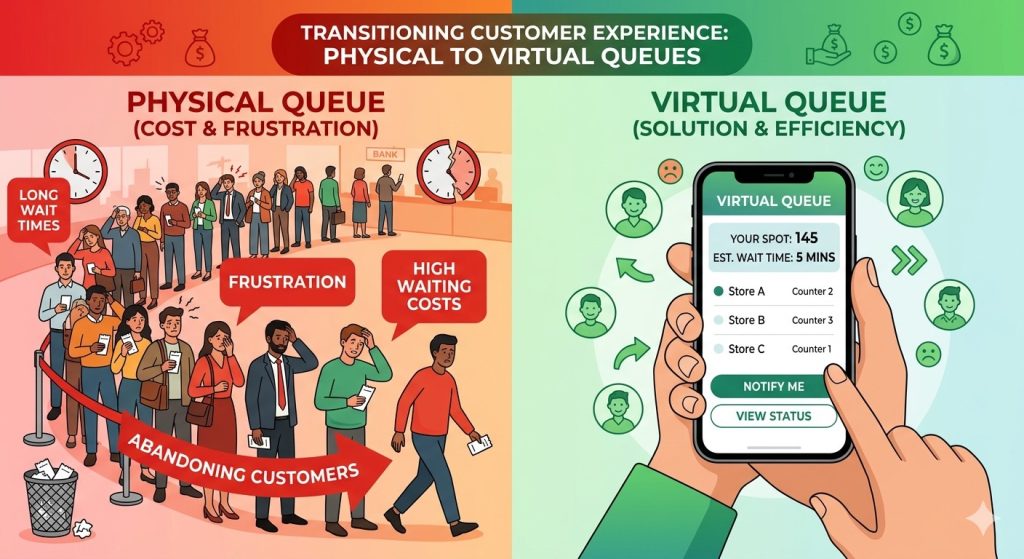
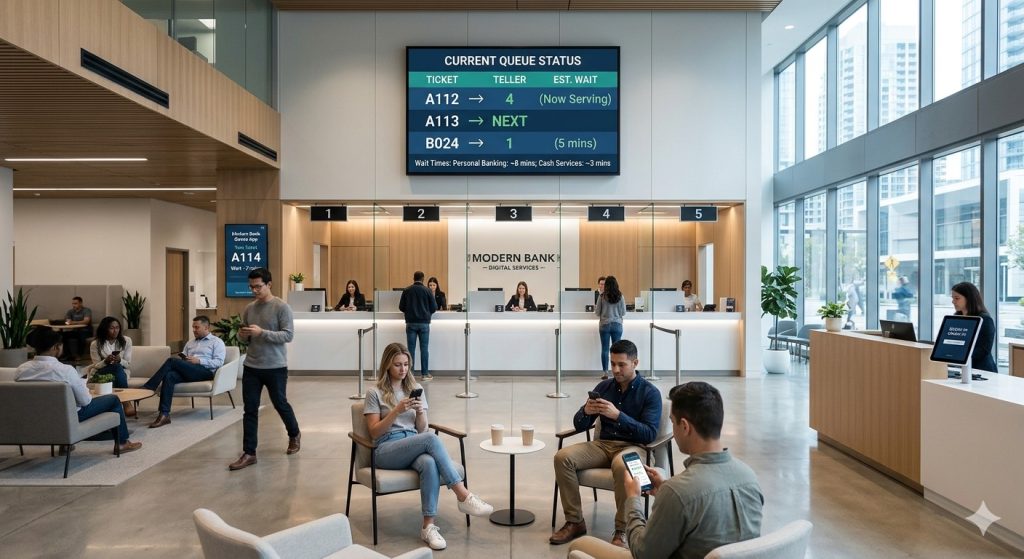
Queue and walk-in management Hospitals and large clinics deal with both scheduled appointments and unannounced walk-ins. Software that only handles pre-booked slots leaves the walk-in flow chaotic and creates secondary scheduling conflicts when walk-in wait times bleed into appointment slots.
Multi-location and multi-provider support If your practice operates across more than one site or has multiple providers sharing a space, your software must give administrators a unified calendar view — not a separate dashboard per location.
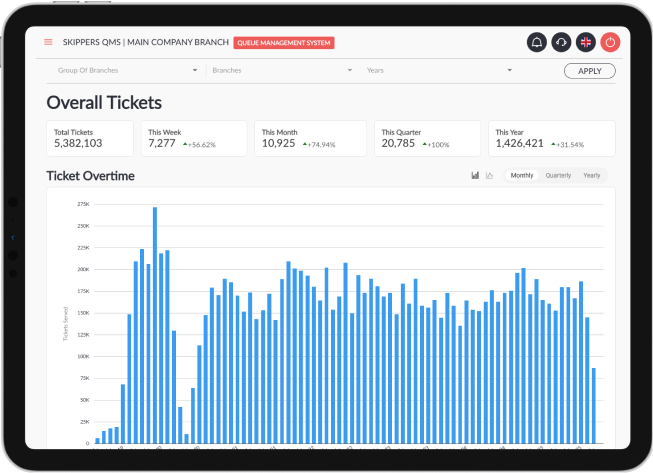
Reporting and analytics Bottlenecks repeat when there is no data trail. Scheduling software should surface peak-time utilization, average wait times, no-show patterns, and provider load so managers can adjust slot allocation proactively.
3. Top 7 Patient Scheduling Software Solutions for Clinics & Hospitals
🥇 1. Skiplino — Best for Clinics Needing Queue + Appointment Management in One Platform
Best for: Hospitals, outpatient clinics, government health facilities, and multi-branch practices that need to manage both scheduled appointments and walk-in queue flow from a single system.
Skiplino combines appointment scheduling with a full queue management system — a combination that most standalone scheduling tools don’t offer. For clinics where patients arrive both with and without appointments, this is a critical distinction. A patient who books online and a walk-in who takes a number both enter the same unified flow, and staff see both streams on one dashboard in real time.
Key features: – Real-time appointment booking with instant slot locking across all channels (web, app, kiosk) – Unified queue management for walk-ins and scheduled patients side-by-side – Automated SMS and email reminders to reduce no-shows – Self-service patient check-in via mobile app or kiosk — no front desk bottleneck – Multi-branch and multi-provider calendar view for administrators – Analytics dashboard: wait times, peak hours, no-show rates, provider utilization – Virtual branch capability for remote or hybrid service delivery
Where it leads the field: The combination of appointment scheduling + live queue management is Skiplino’s differentiator. Most competitors on this list do one or the other well. Skiplino does both, which makes it particularly effective for hospitals and multi-specialty clinics where patients often arrive unannounced alongside those with booked slots.
Pricing: Contact for clinic/enterprise pricing. Free trial available.
Best suited for: Medium to large clinics, hospitals, government health centers, retail healthcare.
2. Qminder — Best for High-Volume Waiting Room Management
Best for: Emergency departments, urgent care centers, and any facility where managing the physical waiting room experience is the primary challenge.
Qminder is purpose-built around the waiting room. Patients sign in via iPad kiosk, receive SMS updates on their estimated wait, and staff manage service flow through a clean web dashboard.
Key features: iPad-based sign-in, SMS wait updates, service routing by appointment type, basic reporting, Slack integration for staff alerts.
Limitation: Limited native appointment pre-booking; primarily a walk-in queue system with scheduling as a secondary feature. Not ideal for practices managing large volumes of scheduled visits.
Pricing: From $389/month per location.
3. WaitWell — Best for Multi-Location Healthcare Networks
Best for: Healthcare networks operating across multiple sites that need centralized scheduling control with location-level flexibility.
WaitWell is designed for service operations at scale. Its multi-location architecture allows network administrators to set global scheduling rules while individual clinics retain control over their specific slot configurations. Strong reporting across all locations makes it a popular choice for regional health networks.
Key features: Multi-location queue and appointment management, centralized admin controls, appointment type routing, detailed analytics, patient communication via SMS.
Limitation: Interface is more operational than patient-facing; self-service patient booking experience is less polished than Skiplino or NexHealth.
Pricing: Contact for enterprise pricing.
4. SimplyBook.me — Best for Small Clinics on a Tight Budget
Best for: Solo practitioners, small specialty clinics, and private practices that need online booking without enterprise complexity.
SimplyBook.me is one of the most flexible booking tools in the market at its price point. It supports a wide range of appointment types, has a client-facing booking page that can be embedded in a clinic website, and offers a large library of add-on features including intake forms, payment processing, and review collection.
Key features: Customizable booking page, intake forms, payment integration, Google Calendar sync, HIPAA-compliant data handling (paid plans), reminder emails and SMS.
Limitation: No built-in queue management for walk-ins. Multiple booking channels are not locked in real-time with the same robustness as enterprise tools — double-booking risk remains higher in high-volume environments.
Pricing: Free plan available; paid plans from $9.90/month.
5. Calendly for Healthcare — Best for Provider-Initiated Scheduling
Best for: Telehealth providers, specialist referral scheduling, and any workflow where patients receive a link to book a specific provider’s time.
Calendly’s healthcare use cases center on provider-initiated booking — a practitioner sends a patient a link and the patient selects from available slots. It integrates with most video conferencing platforms, making it a natural fit for telehealth. It lacks the in-person queue and walk-in handling of the other tools on this list.
Key features: Shareable booking links, round-robin provider routing, Zoom/Teams integration, reminder emails, calendar sync (Google, Outlook, iCloud).
Limitation: Not designed for physical clinic operations — no queue management, no kiosk check-in, no walk-in handling. Telehealth and remote follow-ups are its natural home.
Pricing: Free basic plan; Teams plans from $16/user/month.
6. Jane App — Best for Allied Health and Therapy Practices
Best for: Physiotherapy, psychology, chiropractic, and allied health practices that need clinical charting alongside scheduling.
Jane App is widely used in allied health settings because it combines scheduling with clinical charting, billing, and telehealth in a single platform. The scheduling module is solid, and its patient-facing booking experience is polished. It is not a queue management system — it is closer to a full practice management platform with strong scheduling as its centrepiece.
Key features: Online booking, clinical charting, billing, telehealth, intake forms, waitlist management, group class scheduling.
Limitation: Designed for allied health and therapy models. Less suitable for high-volume hospital environments or multi-specialty clinics needing queue management.
Pricing: From $74/month (1 practitioner); scales by practitioner count.
7. NexHealth — Best for Patient Experience–Focused Practices
Best for: Dental practices, dermatology clinics, and patient-experience-focused specialties that prioritize the end-to-end digital patient journey.
NexHealth focuses heavily on the patient-facing experience — real-time online booking that syncs directly with your EHR, automated appointment reminders, digital intake forms, and post-visit review requests all in one. Its EHR sync is particularly strong, with direct integrations to 40+ systems ensuring that scheduling data never lives in a separate silo.
Key features: Real-time EHR-synced booking, digital forms, automated reminders, two-way texting, online reputation management, waitlist automation.
Limitation: Premium pricing reflects its polish; may be more than a small clinic needs. No walk-in or queue management feature.
Pricing: Contact for pricing (typically $300–$600/month range for mid-size practices).
4. Feature Comparison Table
| Feature | Skiplino | Qminder | WaitWell | SimplyBook.me | Calendly | Jane App | NexHealth |
|---|---|---|---|---|---|---|---|
| Walk-in queue management | ✅ | ✅ | ✅ | ❌ | ❌ | ❌ | ❌ |
| Self-service patient booking | ✅ | ⚠️ | ✅ | ✅ | ✅ | ✅ | ✅ |
| Mobile app for patients | ✅ | ❌ | ❌ | ✅ | ✅ | ✅ | ✅ |
| Kiosk / on-site check-in | ✅ | ✅ | ✅ | ❌ | ❌ | ❌ | ❌ |
| SMS + email reminders | ✅ | ✅ | ✅ | ✅ | ✅ | ✅ | ✅ |
| EHR integration | ⚠️ API | ❌ | ❌ | ❌ | ❌ | ⚠️ limited | ✅ 40+ |
| Multi-location support | ✅ | ✅ | ✅ | ✅ | ✅ | ✅ | ✅ |
| Analytics dashboard | ✅ | ✅ | ✅ | ⚠️ basic | ⚠️ basic | ✅ | ✅ |
| Telehealth / virtual | ✅ | ❌ | ❌ | ⚠️ | ✅ | ✅ | ✅ |
| Free plan / trial | ✅ | ❌ | ❌ | ✅ | ✅ | ❌ | ❌ |
| Best for | Clinics of all sizes, from small practices to large medical facilities | High-volume waiting rooms | Multi-site networks | Small clinics | Telehealth / remote | Allied health | Patient-experience practices |
✅ = Full feature ⚠️ = Partial / limited ❌ = Not available
5. How to Eliminate Double-Bookings in 5 Steps
Choosing the right software is step one. Here is how to implement it in a way that actually eliminates double-bookings rather than just adding another system to manage.
Step 1 — Audit your current booking channels
List every way a patient can currently book an appointment: phone, website form, patient portal, walk-in, referral fax, staff-initiated booking in the EHR. Each of these is a potential entry point for a double-booking if it doesn’t feed into the same real-time calendar.
The goal of your software selection and implementation should be to make all of these channels write to and read from one single calendar.
Step 2 — Choose software with real-time locking and choose one system
The most common implementation mistake is keeping legacy tools running alongside new software. If your receptionist books in the new system but also maintains a paper ledger “just in case,” you have two sources of truth — and double-bookings return within weeks.
Commit to one system. Migrate completely before go-live.
Step 3 — Configure buffer times and appointment type rules
Most double-booking incidents happen at the edges of appointment slots when one consultation runs long and the next begins. Configure 10–15 minute buffer gaps between appointments for each provider. If your software supports appointment type rules (e.g., new patient consultations are 45 minutes, follow-ups are 20 minutes), configure these so the system enforces correct slot durations automatically.
Step 4 — Activate patient self-service and automated reminders
Allow patients to book, cancel, and reschedule themselves via your patient-facing app. This reduces inbound phone traffic by 50–60% in most clinics, which directly reduces the manual calendar intervention that causes a large share of double-bookings.
Set reminders to send to the patients before appointments. Patients who confirm or cancel early free up slots for other patients rather than leaving ghost bookings until the last minute.
Step 5 — Review your scheduling data weekly for the first 60 days
The first two months after go-live reveal your remaining friction points. Pull a weekly report from your scheduling software showing: (a) total appointment conflicts detected, (b) no-show rate by appointment type, (c) peak slot demand versus available provider time.
Use this data to adjust buffer times, appointment type durations, and provider availability rules. After 60 days, most clinics find the double-booking rate drops by 85–95%.
6. Implementation Checklist
Use this checklist when rolling out new patient scheduling software in your clinic.
Before go-live: – [ ] All current appointments migrated to the new system – [ ] Legacy booking channels (old software, paper ledger) officially decommissioned – [ ] All providers’ availability configured with correct working hours and break times – [ ] Appointment type durations and buffer times set – [ ] Staff trained on the new system (minimum 2-hour walkthrough + practice bookings) – [ ] Patient communications sent (email or SMS explaining the new booking process) – [ ] Self-service patient portal tested end-to-end from a patient device – [ ] Automated reminder sequences activated and tested
First 30 days: – [ ] Weekly review of scheduling conflict reports – [ ] Staff feedback collected on friction points – [ ] Patient-facing experience reviewed (booking flow, confirmation messages) – [ ] Buffer time adjustments made based on observed overruns
30–90 days: – [ ] No-show rate compared to pre-implementation baseline – [ ] Staff time spent on scheduling conflicts compared to pre-implementation baseline – [ ] Decision on additional features (waitlist automation, analytics expansion, additional locations)
7. Frequently Asked Questions
What is the most common cause of double-booking in medical clinics? Fragmented booking channels that don’t sync in real time. When phone bookings, walk-ins, and online bookings feed into different systems, the same slot appears available in one channel while it’s already filled in another.
Can patient scheduling software integrate with our EHR system? It depends on the platform. NexHealth offers the broadest native EHR integrations (40+ systems). Skiplino and others offer API access that allows custom integration. Always verify your specific EHR is supported before committing to a platform.
How much does patient scheduling software cost for a clinic? Costs vary widely by clinic size and features needed. Small clinics can start with tools like SimplyBook.me from under $50/month. Enterprise platforms like Skiplino, Qminder, WaitWell, and NexHealth are typically priced per location or per provider and are best quoted directly.
What is the difference between a scheduling tool and a queue management system? A scheduling tool manages pre-booked appointments. A queue management system manages real-time patient flow — including walk-ins, check-in sequencing, and wait-time communication. Some platforms like Skiplino combine both; most tools in the market handle only one.
How quickly can double-booking rates drop after switching software? Most clinics see double-booking incidents drop by 70–90% within the first 30 days of correct implementation — primarily because real-time slot locking eliminates the most common cause. Residual conflicts (caused by manual workarounds or exceptions) typically resolve within 60 days with proper staff adherence.
Is patient scheduling software HIPAA-compliant? Leading platforms in this space (Skiplino, NexHealth, Jane App, SimplyBook.me on paid plans) are built to comply with regional health data regulations including HIPAA (US) and GDPR (EU). Always confirm compliance documentation with your vendor before handling patient data through any platform.
Ready to Stop Double-Bookings at Your Clinic?
The tools exist. The process above works. The only thing left is choosing the right platform for your clinical environment and committing to a clean implementation.
Skiplino is designed for exactly this scenario — clinics and hospitals managing both scheduled appointments and walk-in patient flow, across one or multiple locations, with staff who need a single dashboard rather than five open tabs.
Explore Skiplino’s Patient Scheduling System →
Start a free trial, or speak with a Skiplino specialist to see how the system maps to your clinic’s specific scheduling workflow.
Last updated: October 2025. Feature information for competitor tools is based on publicly available documentation and is subject to change. Verify current features and pricing directly with each vendor.
Latest
Similar Reads



All Rights Reserved @2026 Skiplino Technologies WLL.


Hi!
What are you planning to do?